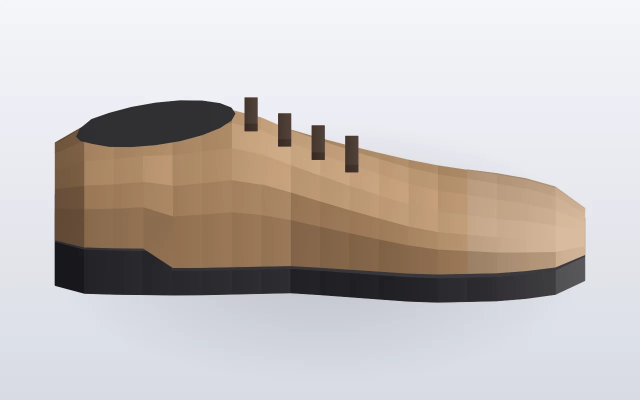
Cinder Lane
Tan · draft colourway
cinder-lane-tan.jpgcinder-lane-prices.xlsx
Working images are a later job. Original kept.
A drop zone where staff upload photographs, a voice clip and a price list, and watch each file arrive in a waiting list before it becomes a product colour.
New footwear arrives as a pile of phone photos, a voice note and a spreadsheet, with no draft product to attach them to. The files sat in a downloads folder until someone had time to sort the colourways by eye.
Staff drop photographs, a voice clip and a price list into one zone. Each file joins a waiting list and the originals are kept. A later grouping step turns the set into draft product colours. A separate job makes the working images, so the drop zone only collects files and does not edit them.
Interactive preview with sample data. Nothing is sent to a server.
Originals stay as uploaded. This step does not crop or recolour.
| File | Type | Note | Status |
|---|---|---|---|
| cinder-lane-tan.jpg | still | Side view · tan | waiting |
| cinder-lane-slate.jpg | still | Side view · slate | waiting |
| colour-note.m4a | voice | 0:18 · not played | waiting |
| cinder-lane-prices.xlsx | sheet | Wholesale · two colours | waiting |
| Drop | File | Type | Landed | Status |
|---|---|---|---|---|
| DROP-1836 | birch-court-black.jpg | Still | 08:02 | received |
| DROP-1836 | birch-court-prices.xlsx | Sheet | 08:02 | received |
| DROP-1839 | kelp-note.m4a | Voice 0:11 | 08:14 | received |
| DROP-1839 | kelp-sand-top.jpg | Still | 08:14 | received |
| DROP-1841 | reed-walk-oak.jpg | Still | 09:26 | received |
| DROP-1841 | reed-walk-navy.jpg | Still | 09:26 | received |
| DROP-1841 | reed-walk-prices.xlsx | Sheet | 09:27 | received |
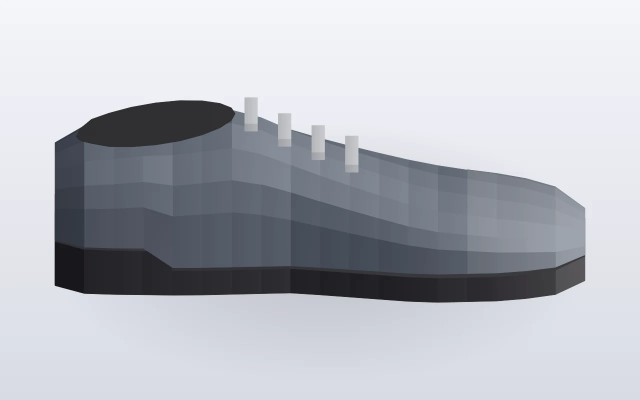
The price list and the 0:18 colour note stay with the drop until these stills become colourways.
colour-note.m4a · 0:18 · kept on the drop · not played
flowchart LR
  A[DropFiles] --> B[QueueRecord]
  B --> C[KeepOriginals]
  C --> D[GroupColourways]
  D --> E[Drafts]
  C --> F[WorkingImagesJob]