Harbour Loafer Cognac
Wrenfield · £42.00 · 6 barcodes
345678
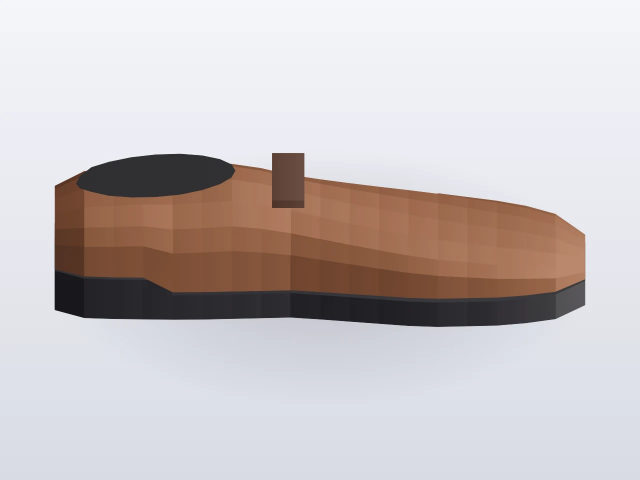
Turns a supplier spreadsheet or seasonal order sheet into one draft colourway per style and colour. Brand rules and an alternative-names check reject bad rows before they duplicate a style.
No two brands use the same headings, and a sheet has one row per size and not one row per shoe. Wrong brand or colour names and half-finished files were fixed after they had reached the catalogue. Seasonal drops came as spreadsheets plus photo folders, and retyping each colourway lost the pictures.
Staff confirm which columns are brand, name, colour, size and barcode. The import opens one draft per colourway, with the size run and barcodes attached, and links manufacturer photos where the folder matches. Each brand's column rules and list of alternative names reject a bad row first. A trial run on test data proves the column mapping before anything goes live.
Interactive preview with sample data. Nothing is sent to a server.
| Field | Sheet column | Sample |
|---|---|---|
| Brand | Brand | Wrenfield |
| Name | Style name | Harbour Loafer |
| Colour | Colour | Cognac |
| Size | UK size | 4 |
| Barcode | EAN | 5060999100104 |
| Price | Wholesale | £42.00 |
| Brand | Style | Colour | Size |
|---|---|---|---|
| Wrenfield | Harbour Loafer | Cognac | 4 |
| Wrenfield | Harbour Loafer | Cognac | 5 |
| Calderwell | Ridge Chelsea | Black | 7 |
| Harrowmere | Ridge Chelsea | Black | 8 |
| Larch & Co | Marsh Brogue | Oak | 6 |
| Sable Row | Quay Sandal | Sand | 3 |
| Brand | Colour column | Alias |
|---|---|---|
| Wrenfield | Colour | – |
| Calderwell | Colour | Harrowmere |
| Larch & Co | Col | – |
| Sable Row | Colourway | – |
34 further size rows use the same map. Harrowmere is a Calderwell alias and is held before it can open a second Ridge Chelsea in black.
39 size rows fold into 8 drafts. 1 alias is held. 2 folders match a still. Nothing is written until Confirm.
| Sheet brand | Resolved | Style | Colour | Size | Barcode |
|---|---|---|---|---|---|
| Harrowmere | Calderwell | Ridge Chelsea | Black | UK 8 | 5060999100883 |
flowchart LR
  A[SupplierSheet] --> B[ConfirmColumns]
  B --> C[BrandRules]
  C --> D[AliasCheck]
  D --> E[Rejects]
  D --> F[DraftColourways]
  G[PhotoFolders] --> F
  F --> H[DryRunPlan]