About Services Tools Blog Contact us

Visual Question Answering

Answers a question about one image. It also captions and tags pictures dropped into a studio inbox so later messages can refer to them.

  • Visual Question Answering
  • Cross-sector
  • Tool
  • Productised
  • Local/private
  • 2026

The problem

To find out what is in a picture, someone still had to open it. Images dropped into a working chat were invisible to later messages because nothing had described them.

What it does

One route sends a single image and a question to a vision model and returns an answer based on the picture itself, with no search of stored documents. Another route picks up images that have not been described, skips any that are too large, and saves a caption and labels with the file. A failed image is left for a rest period and not retried straight away.

Outcomes

  • A question about a picture gets a sentence back.
  • Chat images gain a caption before the next message.
  • Oversized files are skipped and do not hold up the waiting list.
  • The picture does not have to be added to a searchable document store.

Simplified mockup

Interactive preview with sample data. Nothing is sent to a server.

Ask about one picture

court-trainer.png 1.4 MB
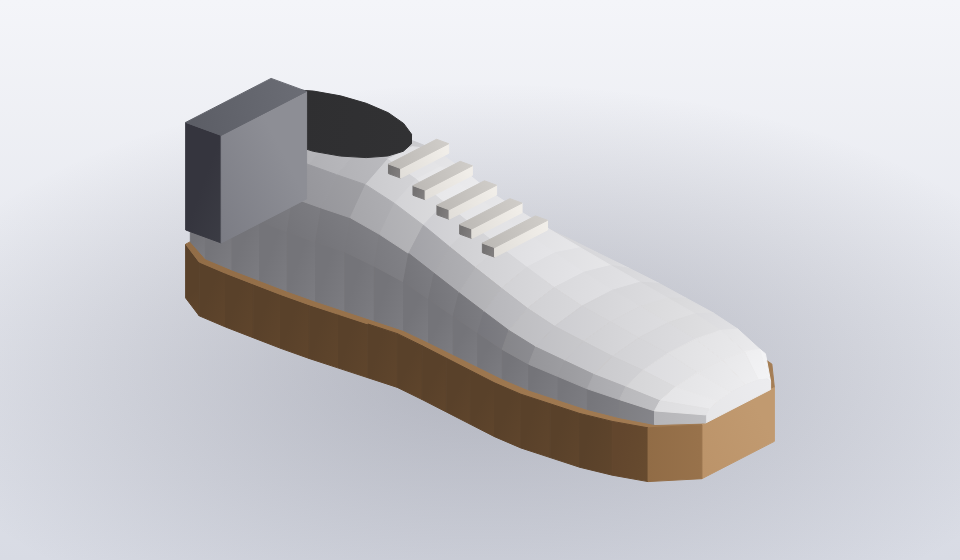
White court trainer with a gum sole and a darker heel, on a white ground

Sent with the image. Nothing is looked up in a document index.

Direct path
Ready when you are

Studio inbox

3 files waiting on the queue
Undescribed uploads
FileSizeState
court-trainer.png1.4 MBundescribed
raw-yard-scan.tif18.6 MBover 6 MB cap
label-blur.jpg880 KBcool-off 28 min

Captions later messages can use

Morning thread
Use the trainer I dropped this morning.
Court trainer on a white ground. Tagged footwear, white, leather.
File rows
FileCaptionLabelsState
court-trainer.pngCourt trainer on a white groundfootwear, white, leatherstored
gum-sole-crop.pngGum sole with a darker heel blockfootwear, solestored
plant-room-door.jpgGreen door on a brick plant roomsite, doorstored
raw-yard-scan.tifNot described–skipped
label-blur.jpgNot described–cool-off

How it works

  1. Send a question and an image to the vision model.
  2. Take the answer from the picture itself and not from stored documents.
  3. Add an uploaded image to a waiting list of undescribed images.
  4. Caption and label each image under the size limit with a locally run model.
  5. Save the caption and labels with the file.
  6. Leave a failed image alone for a rest period before trying again.

Pipeline

flowchart LR
  A["Image"] --> B{"Question supplied?"}
  B -->|Yes| C["Answer from pixels"]
  B -->|No| D["Inbox queue"]
  D --> E{"Under size cap?"}
  E -->|Yes| F["Caption and tags"]
  E -->|No| G["Skip"]
  F --> H["Store on file"]

Output