About Services Tools Blog Contact us

Product Attribute Completion

Fills in the gender, colour, fit and size system that a product colour still lacks, using the spoken description, the known details and the photographs.

  • Classification & Tagging
  • Footwear retail
  • Scheduled worker
  • Productised
  • Hybrid
  • 2026

The problem

A shoe cannot be marked ready or described while its gender, colour, fit or size system is blank. Staff were opening every draft to type the same four fields.

What it does

Colour is copied from the main colour attribute when that is already known. Google Gemini works out the rest from the spoken description, the known details and the photographs. If a colour still cannot be completed after three attempts, it is left with the reason recorded. A settings page decides which fields count as required.

Outcomes

  • Four fields are filled without a manual pass.
  • Any field Gemini would not decide carries a short reason.
  • The required fields are set on a settings page and not in code.
  • Drafts that still fail after three attempts are kept out of the ready list.

Simplified mockup

Interactive preview with sample data. Nothing is sent to a server.

CW-1842 · Chestnut derby

Runs
0 of 3
Filled
0 of 4
Ready queue
Waiting
Ready fields
Primary colour Chestnut Known
Still and transcript
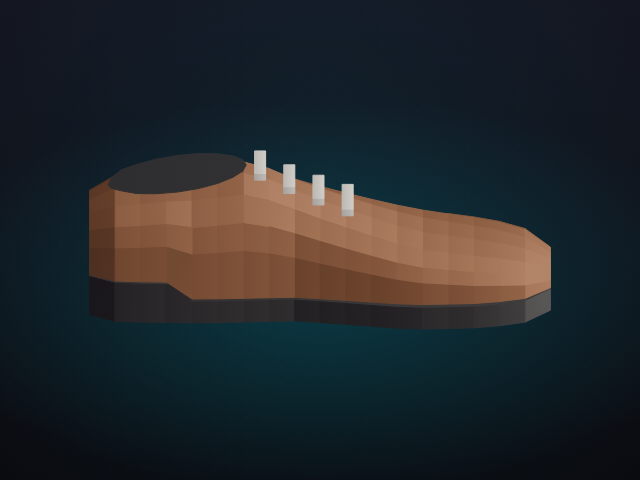
Side still of the chestnut derby

She asked for the chestnut derby in a women’s size, on the UK system. The toe feels roomy. She did not ask for a wide fitting.

Required on this account

Fit is required, so a blank fit keeps the colourway out of the ready queue.

This run
Four fields still blank

Staging settings

Fields that block ready

Changed here, not in code. The worker reads this list on every run.

Save
Four fields marked required
When a required field stays blank
RunWhat is storedReady queue
1 and 2A short reason, then try againHeld
3, still blankThe reason stays on the draftLeft out

Other colourways

ColourwayRunsOutcomeNote
CW-17701ReadyWomen, black, standard, UK
CW-15112ReadyFit taken from a spoken wide
CW-09043StoppedColour clash, reason kept
CW-12082HeldSize system not in the clip

How it works

  1. Read which fields the staging settings mark as required.
  2. Copy colour from the primary colour attribute when it is already known.
  3. Ask Google Gemini to fill the rest from the transcript, known fields and stills.
  4. Record a short reason on any field that cannot be decided.
  5. Stop after three unsuccessful runs and leave the reason on the draft.

Pipeline

flowchart LR
  A[Draft] --> B[Known colour]
  A --> C[Transcript and stills]
  B --> D[Fill fields]
  C --> D
  D --> E[Reason on blanks]
  E --> F[Ready or held]