The first three posts in this series have been about everything around the agent — the models that power it, the SOPs that train it, the folders that feed it work. This one is about the agent itself: the program you actually talk to. The technical name is “harness”, and once you understand it, the whole AI market sorts itself into a tidy ladder you can shop for on purpose rather than by brand. A harness is the thing that holds the model, the tools, the memory, and the connection to your machine. The same model behind ChatGPT, Claude Projects, and Claude Code can produce three completely different working experiences depending on which harness it is wearing.
This post is also the practical one. The previous instalments — foundations, SOPs, folders — were about giving the agent a brain and a workshop. This one is about giving it the keys to the rest of the building: your terminal, your filesystem, your apps, and ultimately your day.
The Harness Ladder, Revisited
It is the single most useful mental model in the field. Pin it to the wall.
- Browser chat is read-only. The model can talk; it cannot do. There are no tools, no files, no terminal — just a window with a text box. Useful for one-off questions, useless for actually getting work done in your business.
- Office extensions — Copilot in Microsoft 365, Gemini in Google Workspace, AI inside Photoshop or Canva — have tools but only inside the host app. Excellent at what they do, completely walled off from anything beyond.
- Standalone apps — Claude Projects, Perplexity, NotebookLM — can take a folder of your documents and answer questions across them, but they cannot reach beyond their own sandbox. You upload, they reply.
- Agentic harnesses — Claude Code, Cursor, Codex CLI, Hermes, Pi — live in your terminal or your IDE, see your filesystem, run your scripts, query your database, call your APIs. This is where serious automation lives.
- Custom scripts are the bottom rung — a fixed pipeline you (or we) write once, where the model is one component among many. The most reliable, the cheapest to run, the most boring; almost every “production” AI workflow eventually graduates to this rung once it has stabilised.
Most small businesses should be living somewhere between the bottom two rungs. Browser chat is fine for asking the assistant to draft an email; the actual work — the bits that touch your files, your data, your customers — belongs in agentic harnesses or custom scripts. If a vendor is selling you something on the top three rungs and calling it “your AI strategy”, you are paying for less than you could have for free.
What “Local” Actually Buys You
Cloud agents have a privacy story, a latency story, and a cost story. Local agents win all three.
| Cloud agent | Local agent on your machine | |
|---|---|---|
| Where your data goes | Vendor servers, often in the US | Stays on your hardware |
| Cost per call | Per-token, metered | Electricity for the fan |
| Latency | Internet round-trip | Whatever your laptop can do |
| Reach | Limited to vendor's surface | Your whole filesystem and every app on it |
| Survives vendor changes | No | Yes |
Local does not mean “no cloud”. The most productive small-business setup we deploy uses a cloud model (typically Claude) for the clever reasoning, while the harness, the tools, the SOPs, and the data all live on the owner’s laptop. The cloud handles the brains; the local machine handles everything that touches the actual business. The result is the best model in the world doing privileged work without privileged access — the agent is in your kitchen; the model is on the phone.
The Terminal Is the Master Tool
If you take only one idea from this post, take this one. Almost every useful capability of an agentic harness reduces to “use the terminal”. With shell access, the model can list files, read them, write new ones, run scripts, query databases, hit APIs with curl, install packages, write a one-off Python script, run it, inspect the result, and either keep going or admit defeat. Most other tools are special cases of the terminal in disguise.
This is also why every serious agentic harness lives in the IDE or the command line rather than the browser — the browser is precisely where the terminal is not. A “browser-based AI agent” that cannot run a shell command is, by construction, a chat app with extra buttons. A terminal-based agent that can pause itself mid-sentence, run SELECT COUNT(*) FROM orders, paste the result back into its own context, and continue thinking is doing something genuinely different in kind.
MCP — The Universal Adapter
The Model Context Protocol — popularised by Anthropic and now adopted by every serious harness — is one of those quiet pieces of plumbing that turn out to matter enormously. MCP is simply an agreed-upon way for an external piece of software to expose its tools to an agent, in a format the agent can discover at runtime.
The practical effect for a small business: every new MCP server published is a new sense the agent can borrow. A MySQL MCP turns “ask the agent about last week’s sales” into a one-line query rather than a hand-written SQL ritual. A browser MCP turns “test our checkout in Chrome” into a real interaction. A KiCad MCP turns “add a 100 nF decoupling cap next to U3” into something a non-electrical-engineer can ask for. The list of available MCPs is growing weekly — all of them are free, most are open source, and any compliant harness picks them up without bespoke code.
The Underrated Case for macOS
The conventional wisdom is that NVIDIA hardware on Linux is the “real” AI platform. For training, that is true. For everyday small-business agentic work, macOS on Apple Silicon is the friendliest host on the market, and it is not particularly close. Three reasons.
AppleScript and JavaScript for Automation. Practically every native and professional Mac app is scriptable. Mail, Calendar, Numbers, Photos, Finder, Reminders, Notes, Music — all driven by osascript with a few lines. InDesign, Logic, Final Cut, even Figma Desktop in some respects — same story. The agent does not need a clever computer-use model and a high token budget; it needs a six-line script.
osascript -e '
tell application "Mail"
  set theMessages to messages of inbox whose read status is false
  return count of theMessages
end tell
'
Built-in OCR. Apple’s Vision framework, exposed through the shortcuts CLI and Live Text APIs, reads receipts, screenshots and PDFs locally without sending a byte to a third party. For a business that processes a few hundred receipts a month, this is a solved problem in a single shell pipeline — no Textract, no DocuSign, no per-page billing.
The Accessibility API. macOS exposes a structured tree of every window, button, text field, and menu item on screen, complete with role, name, and identifier. An agent can “click the Send button” in an app it has never seen before by querying for { role: button, name: "Send" }. This is wildly more reliable than screenshot-based computer use — same outcome, a hundredth of the tokens, no hallucinations about pixel coordinates. Combined with AppleScript, it covers almost every desktop automation a small business actually needs.
NVIDIA hardware is faster per pound for serious model training and for very large inference; Linux is powerful and free if you enjoy a weekend of configuration. But for an owner-operator with one machine and a desk full of real work, the Mac mini or MacBook Pro with 32–64 GB of unified memory is, in 2026, the smoothest path from blank page to working agent.
Computer Use — the Screenshot Approach
“Computer use” is the term of art for letting the model literally see your screen via repeated screenshots and decide where to click. It is genuinely impressive technology and almost never the right answer for a recurring small-business job.
- Token cost per action is high — a single click in computer-use mode can cost as much as a hundred regular text turns.
- Speed is appalling compared to AppleScript or an API.
- Reliability is brittle: a UI redesign, a different screen size, an unexpected dialog, all break the run.
- Auditability is poor — the trace is a series of screenshots and reasoning, not a clean log.
The right place for computer use is the awkward little jobs that nobody has built an API for: dragging a file out of an obscure desktop app, ticking a box on a third-party portal that refuses to integrate, copying a value out of a screen-share with a supplier. A few times a week, fine. Daily — replace it with a script.
Where Local Beats Cloud, Concretely
It is easier to make the case with examples than with abstractions. Every one of the following is something a properly-set-up agentic harness on a Mac handles in plain English, in seconds, with no recurring fee:
- “Set up a virtual host called
shop.localpointing at this folder, restart Apache, and add it to/etc/hosts.” - “The printer has stopped responding — look at
/var/log/cups/error_logand tell me what is wrong.” - “Back up the MySQL database to the external drive every night at 2am, keeping the last seven copies.”
- “Read every PDF in
~/Downloads/receipts/, OCR them, write a CSV with date, supplier, total, VAT.” - “Rename every file in this folder to
YYYY-MM-DD — original-name.extbased on its EXIF or modified date.” - “Restart the Cloudflare tunnel, redeploy the staging site, and tell me when it’s green.”
- “For every product in the database with no category, ask Ollama to assign one and write it back.”
None of those are research projects. All of them are things we run on small-business Macs every week. The thread connecting them is that the agent has the terminal, the agent has the SOPs, and the agent has the folders — and the model is just clever enough to pick the right tool for the job.
A Recommended Local Stack
The smallest credible setup, sized for a five-to-fifty person business:
| Layer | What we install |
|---|---|
| Hardware | Mac mini or MacBook Pro, Apple Silicon, 32–64 GB unified memory |
| Package manager | Homebrew |
| Local model engine | Ollama (CLI / HTTP) and LM Studio (GUI) side by side |
| Models on disk | Gemma (general), a small Qwen coder, an embedding model |
| Cloud reasoning | Anthropic plan, accessed via Claude Code in the terminal or Cursor in the IDE |
| Skills & tools | skills/ folder of SKILL.md files, scripting/ folder of small Python and shell tools |
| MCP servers | MySQL, filesystem, browser, plus whatever applies to your stack (Cloudflare, KiCad, etc.) |
Total monthly outlay: a single Anthropic plan and the cost of the electricity to run the laptop. Total setup time, if you have not done it before: an afternoon. Total ongoing maintenance: a few minutes a fortnight to update Ollama models and trim the SOPs.
Guardrails for Local Agents
An agent that can write files, send emails, and call APIs is wonderful right up until the moment it is not. The single most important habit is to constrain what the agent is allowed to do, rather than trust it to behave well. Yolo mode — full unsupervised freedom over a production database — belongs in a sandbox, not on a Tuesday morning.
- Default to read-only. Write access is per-folder, opt-in, and obvious from the SOP.
- Never expose a free-roaming agent directly to inboxes, customer messaging, or payment systems — always go through a script you wrote.
- Require explicit confirmation for destructive operations (
delete,send,charge,drop,force-push). - Keep the
run.log. Every tool call is one line. If something goes wrong, that file is the first place you look. - Build workflows from your SOPs, not from the agent’s improvisation. Improvisation is a feature for the awkward 5%, never the default for the routine 95%.
A Typical Morning
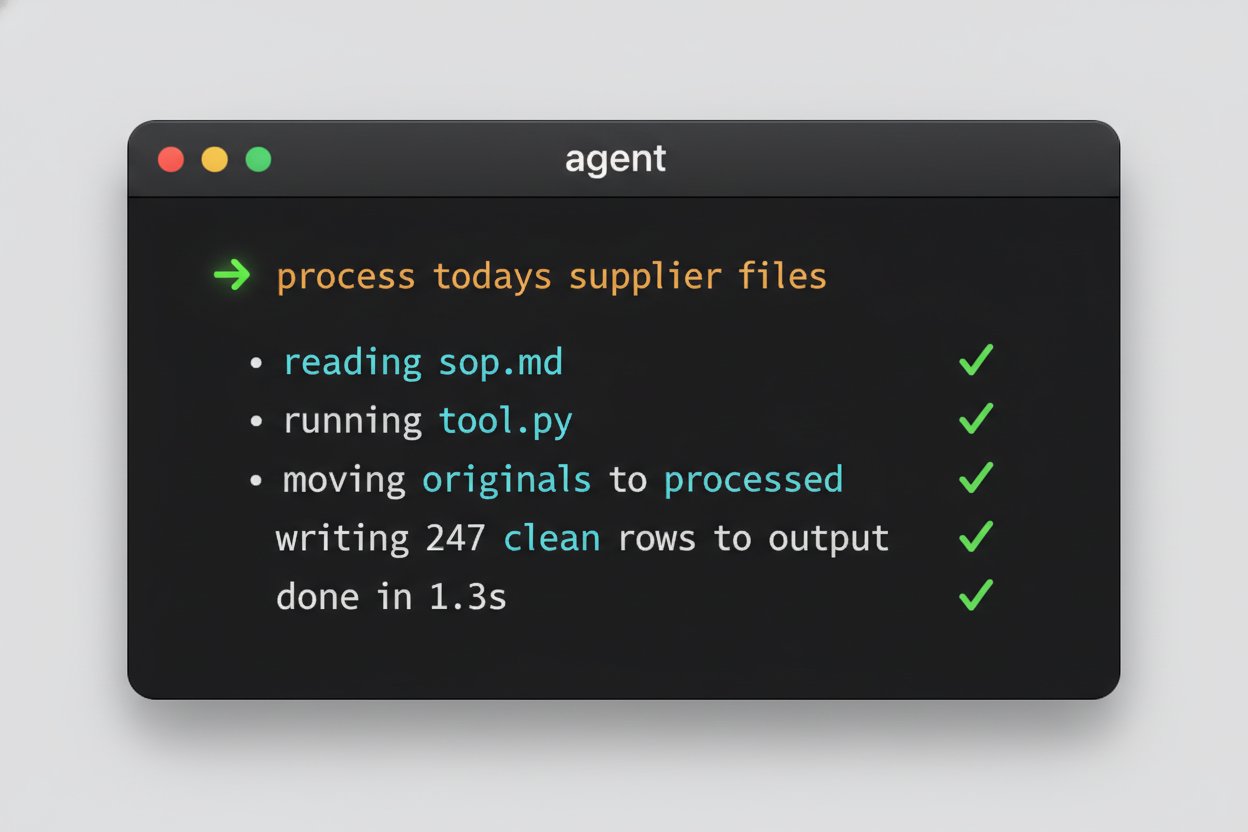
The most useful way to summarise all of this is to describe what it actually looks like. Owner walks into the office, opens a terminal on the Mac, types one command. The agent reads the relevant SKILL.md, runs the matching tool against the files in /input, writes the cleaned results to /output, archives the originals to /processed, drops anything awkward into /errors with a short reason note, appends a one-line summary to run.log, and reports back in a sentence. Total elapsed time: less than the kettle boiling. Total cost: zero, plus a few cents of electricity.
The owner glances at the output, signs off any awkward cases from /errors by hand, and gets on with the rest of the day — the part of the job that actually requires a human. That, in 2026, is what an “AI-enabled small business” looks like in practice. Not a chatbot in a corner of the website. Not a subscription to a SaaS that promises “intelligent automation”. A folder, an SOP, a tool, an agent, and a terminal.
Closing Thought
A local harness is not magic. It is a model, a terminal, a folder, and an SOP. The magic is that you, the owner, get to decide exactly what each of those four things is — and nobody else in the value chain gets to charge you a monthly fee for the privilege. The same four pieces, assembled with a little discipline, will outlast the next five rounds of AI hype and three vendor exits.
That brings the foundational AI Insights for Small Business series to a close. Subsequent posts will go deep on individual workflows — the Brightpearl reporting agent, the Ollama batch loops, the InDesign automation, the GSC clustering pipeline — with full code and the same opinions about how to keep things small and boring. If you would like us to set the whole stack up on your own machine, write the first three SOPs with you, and leave you with something running, get in touch.