The most reliable way we have ever found to make an AI agent do work the way a particular small business wants it done is also the least technologically impressive. It is not a vector store, not a fine-tune, not a bespoke harness or a clever orchestration platform. It is a markdown file in a folder. Half a page of plain English, written in the imperative, with one worked example. That single text file does more to shape an agent’s behaviour than any amount of prompt-engineering trickery, and it does it in a way the owner can read, edit, and version-control on a Sunday evening with a glass of wine and no developer in the room.
This is the second piece in our series. The foundations post made the case that the harness, not the model, is what gives an AI assistant its personality and its competence. The SOP — standard operating procedure — is what gives the harness your personality and your competence. Without it, an agent is a clever graduate on their first day with no induction. With it, the same agent is a member of staff who has read your manual.
Why Markdown, and Why a File
It is worth dwelling on the choice of format because almost every alternative on the market is worse. Markdown has been the lingua franca of the internet’s technical writing for fifteen years; it is what GitHub renders, what every developer documentation site uses, what every open-source project ships its README in. The consequence, for our purposes, is that frontier LLMs have read more markdown than any other format on the planet. They follow instructions written in markdown the way a chef follows a printed recipe — the headings, bullets and code fences map directly onto the way the model structures its attention.
The choice of file matters as much as the choice of format. A file lives in a folder. A folder is in a git repository. A git repository has commits, diffs, branches, history. The same SOP that trains a human onboarding next Tuesday is the file the agent reads at 2am tonight, and the file your auditor reviews next March. Drop the same content into a SaaS platform and you have signed up for a subscription, an export problem, and a future migration. Drop it into a markdown file and you have signed up for nothing at all.
The SKILL.md Convention
The convention we use — popularised by Anthropic and now adopted by Cursor, Claude Code, and a growing list of agentic harnesses — is to call each SOP a SKILL.md. The name is doing real work: a skill is a single, scoped, repeatable competence. Not a manual, not a handbook, not an “everything we know about quoting” document. One skill, one job, one page.
# Generate Weekly Sales Report

Use when the user asks for the weekly sales report,
weekly numbers, or Monday morning report.

## Inputs
- A working MySQL connection (via the MCP server in `.cursor/`).
- The previous week’s report, if it exists, as a comparison baseline.

## Steps
1. Query orders for the last 7 days, grouped by SKU.
2. Cross-reference each SKU against the supplier lead-time table.
3. Render a self-contained HTML file with a sortable table and an inline
   SVG bar chart of the top 20 SKUs by revenue.
4. Save to `./reports/sales-{date}.html`.
5. Email the path to the owner via the email tool.

## Outputs
- One HTML file per run, in `./reports/`, named by date.

## Notes
- Always include the previous week’s comparison alongside this one.
- Flag any SKU with sell-through > 90% in red.
- If the database is unreachable, do not invent numbers — stop and
  tell the owner.
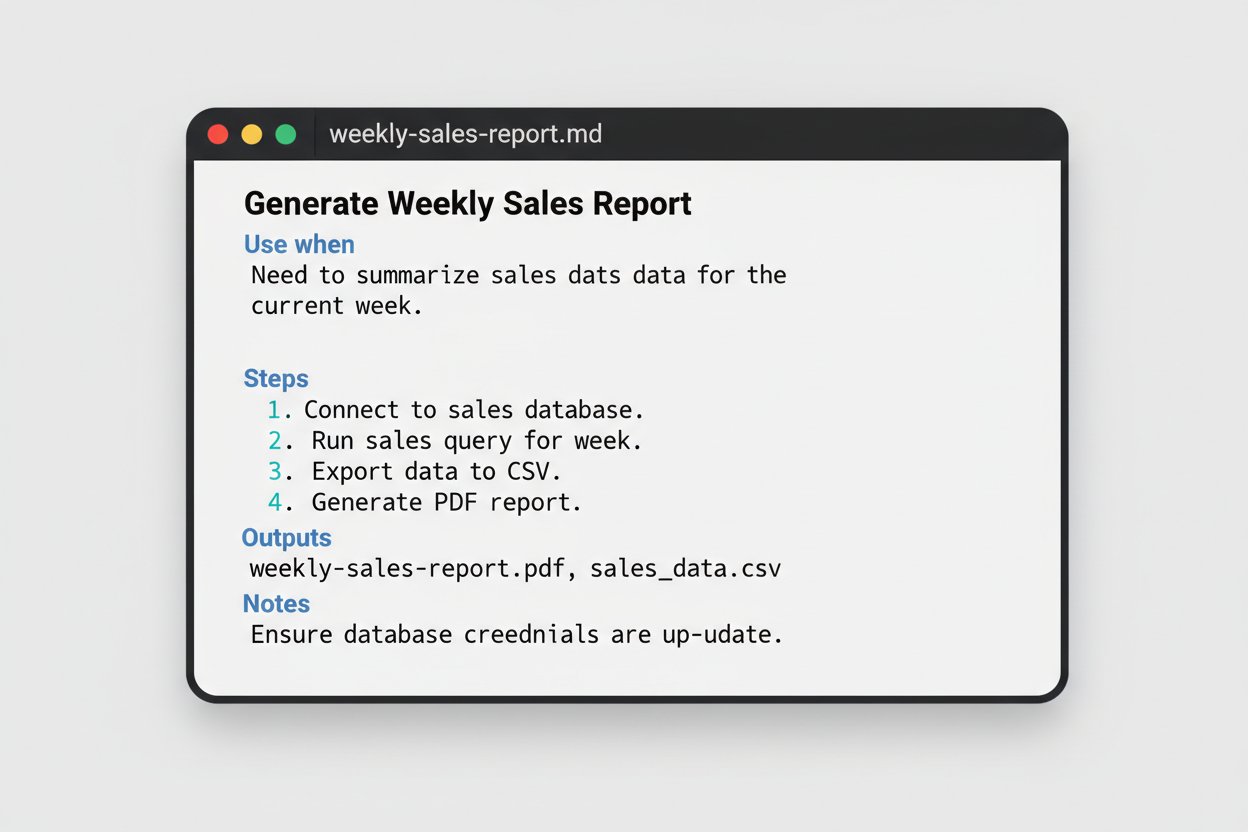
Half a page. Five sections. No prose, no preamble, no marketing voice. Yet that file, sat next to a small sales-report.sh in the same folder, replaces ten pages of Word-document procedure that nobody read and a Monday-morning ritual that used to take the office manager an hour. The harness picks it up automatically, matches the “use when” trigger against the owner’s plain-English request, and runs the steps.
Anatomy of an SOP an Agent Will Actually Follow
Six sections, in roughly this order, cover almost every job a small business will throw at an agent.
| Section | What it does |
|---|---|
| Title | Names the skill in five words. Becomes the filename. |
| Use when | The trigger sentence. The harness matches against this. |
| Inputs | What the agent will need: file paths, schemas, credentials. |
| Steps | Numbered, imperative, no ambiguity. One verb per step. |
| Outputs | Where results go, in what format, named how. |
| Notes | The gotchas you would tell a new starter on day one. |
The single biggest mistake in writing an SOP is being polite. Agents are not polite readers. They are literal readers. “You may want to consider checking the postcode for validity” will be obeyed about half the time; “Reject any row whose postcode does not match the UK postcode regex” will be obeyed every time. Imperative voice, present tense, one step per line, no hedging. Write like a sergeant-major, not like a coach.
The second biggest mistake is leaving out the example. One worked example — one input, one output, one sentence describing the difference — is worth five paragraphs of prose explaining how the transformation should work. Models pattern-match against examples far more reliably than they reason from descriptions. If your skill cleans up addresses, paste in three messy rows and three clean ones. The job is done.
Many Small Skills Beat One Mega-Prompt
The temptation, once an agent is sat in your terminal, is to write one giant SKILL.md that documents everything the business does. Resist it. The harness loads skills on demand based on the trigger sentence; a folder of small, focused skills lets the model load only what it needs for the current request, which keeps the context window lean and the reasoning sharp.
A useful rule of thumb: if a skill grows beyond a single page of A4, it is at least two skills wearing a trenchcoat. Split it. Each one becomes easier to read, easier to test, and easier to update without breaking its neighbour. We routinely deliver client systems with twenty or thirty SKILL.md files in a single repository, and the agent has no trouble at all picking the right one.
The Owner Is the Editor, Not the Author
The most pleasant surprise of working this way is that the owner does not, in practice, write the first draft. The agent writes it. After you have walked the model through a job manually — “OK, query the database for last week’s orders, then group them by SKU, then send me an HTML report” — you say “now write the SOP for what we just did”, and a competent first draft of SKILL.md appears in the folder.
The owner’s job, then, is editing — trimming the verbose bits, sharpening the imperatives, deleting the apologetic hedges, adding the one-line note that explains the corner case the agent could not have known about. After two or three iterations the SOP stabilises and the work becomes a one-line command. After ten iterations across ten different jobs, you have a written, executable, version-controlled handbook for the business — a thing that, six months ago, did not exist anywhere except in your head.
Versioning, Governance and Trust
Because the SOPs are plain text in git, every change is a commit. Every commit has an author, a timestamp, and a message. Six months from now, when the agent quietly stops formatting addresses the way it used to, you will be able to run git log skills/clean-supplier-csv.md and see exactly which change broke things and why.
$ git log --oneline skills/clean-supplier-csv.md
a1b2c3d  add "PO Box" to the preserved-tokens list
9d8e7f2  reject rows with empty address1
4c5b6a1  initial draft, generated by Claude
This is what governance looks like in a small business that has skipped the enterprise software industry entirely. There is no “workflow management platform”, no audit module, no admin user with permissions. There is a folder of markdown files, a git history, and a discipline of writing things down. The cheapest, most boring solution is also the one that survives the next acquisition, the next vendor exit, and the next AI hype cycle.
Sharing Skills Across People and Machines
Once a small business has a skills folder it likes, the obvious next step is to share it. Push it to a private GitHub or GitLab repository, clone it on each team member’s laptop, and every machine that runs an agentic harness now inherits the same competence. New starter on Monday? Clone the repo, install the harness, they have access to the same body of institutional knowledge that took two years to write down. The repo becomes the company’s automated brain — and unlike the brains in people’s heads, this one is searchable, diffable, and survives a resignation.
The same trick works between offices, between agencies and clients, and between you and the consultancy you bring in to build something specific. Hand over the skills/ folder, hand over the scripting/ folder, and the next person to sit down at the keyboard can pick up where you left off without a single onboarding call.
Practical Starting Points
- Pick the three jobs you most often explain to a new hire. Quote drafting. Invoice processing. The Monday-morning report.
- For each one, walk the agent through the job once, manually, in plain English. Let it do the work end-to-end while you watch.
- Then ask the agent to write the SOP. Read it. Trim it. Sharpen the imperatives. Add the note about the corner case it just got wrong.
- Run the SOP for a fortnight. Every time it goes wrong, fix the SOP rather than the output. The SOP is the asset.
- After a month, you will have three skills, a small
scripting/folder of supporting tools, and an honest sense of which other jobs are ripe for the same treatment.
This is the discipline that separates a small business that uses AI from one that has actually integrated it. The former buys subscriptions and gets out roughly what it pays in. The latter writes its institutional knowledge down once, in markdown, and gets compounding returns every week thereafter.
Closing Thought
SOPs in markdown turn tribal knowledge into agentic capability. The same document that trains a human onboarding next Tuesday is the document the AI agent reads tonight at 2am, and the document your accountant reviews next March. There is no platform between you and the work, and that is the whole point.
In the next instalment of the AI Insights for Small Business series, we will give those skills somewhere to do their work — folder-based AI workflows, with a complete worked example you can clone, run, and modify in an afternoon. If you would rather have us write the first three SOPs for your business and hand them over running, get in touch.