History
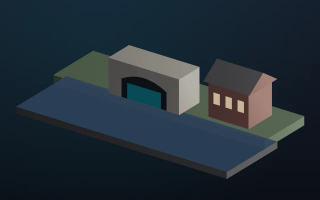
Opened in 1814. Barges turned in the basin before the locks.
Canal basin, 1814.
800 mm square
Gallery and outdoor boards on one grid, from a subject text and numbered photographs to a print-ready PDF with a margin for trimming.
A museum wall needs the same header, picture areas and type at several square sizes. Rebuilding each board from a Word brief makes the text overflow its boxes. Then a reviewer marks one panel, the next subject changes, and the set drifts apart.
Each board takes a subject, a short text and photographs on a house grid, at sizes such as 600 mm to 1200 mm square with bleed. A script can fill boards from a photo folder. A later pass fixes overset text before the print export.
Interactive preview with sample data. Nothing is sent to a server.
History
Opened in 1814. Barges turned in the basin before the locks.
Canal basin, 1814.
800 mm square
Industry
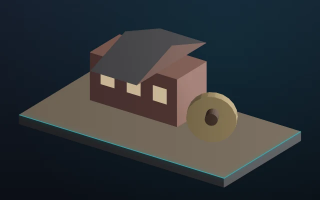
The rope walk ran the length of the yard. Rope left by water.
Rope walk and yard.
800 mm square
Wartime
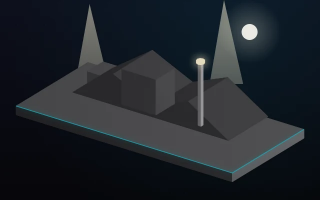
The works stayed open in the blackout. The night shift kept the lamps lit.
Open through the blackout.
800 mm square
Header colour stays on every size. Sign board uses the short line on the same grid.
Industry
Frame 02 · proportion kept
History
Opened in 1814. Barges turned in the basin before the locks.
Print file ready
Bleed 10 mm sits outside the trim on every size.
Last amended 2 September 2026.
Review marks from the marked PDF are on the layout. The next season starts from this file.
flowchart LR
  A[Subject brief] --> B[Numbered photos]
  B --> C[Board size]
  C --> D[Layout script]
  D --> E[Overset fix]
  E --> F[Review PDF]
  F --> G[Print export]